Wednesday, March 17, 2010

Reflection Using Audio Recorders: Vocaroo

Today we are going to add some audio to our blog. I want you to record a reflection about what you have learned in one of your classes today. The audio should be at least 1 minute long. Click here to go to the Vocaroo site to record. After you paste the audio into your blog, write a quick review and include how you could use this in your classes.

Remember, if you sign up the site will save your Vocaroo's!

Monday, March 08, 2010

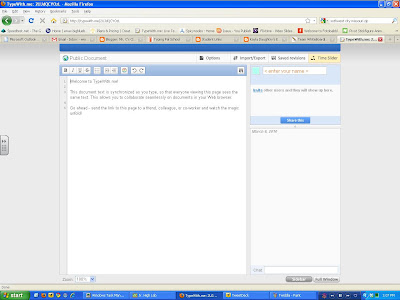
Collaborative Tools: Compare/Contrast TypeWith.me and Twiddla

TypeWith.me and Twiddla are both online collaborative tools. You can use them to share information, the question is: Which tool is better?

Evaluate both sites based on ease of use, features, and performance. Might it be possible both would be the right choice for slightly different uses?

You will need to work with a partner or two (or more) to see what you can and cannot do with each site. Make sure you take a couple screen shots of what you are doing. I want this finished Wednesday and will take a grade Thursday.

TypeWith.me

Twiddla

Friday, March 05, 2010

The Music is Infectious!

Coach Cooper is having his students do line dancing this month. Here is a video of 5th grade students dancing to the Cha Cha Slide Part 2 by DJ Casper. DJ Casper is also known as Mr. C!


While watching the video on my class computer I had to quickly grab my camera to get some video of Jonathon sliding in his chair. Apparently you "can't stop the rock!"


Here is the class dancing to "Cupid Shuffle" by Cupid.


Having line dancing in physical education classes help the students with rhythm and coordination. It is also an excellent aerobic exercise! Coach also wants the students to know how to do a few of the more popular dances so the students won't feel self-conscious at their future dances.

Thursday, March 04, 2010

Pivet Stick Figure Animator

Pivot Stick Figure Animator is freeware I downloaded after seeing examples created by students.

One great feature is you can add your own background and make interesting videos.

Photobucket

There are a few things to consider if you want to post the video to your blog. First you have to save your movie as a .gif file. This is a moving picture file (not to be confused with a .mov file) You have the option in the save menu of the program.

After I saved it as a .gif I uploaded it to the blog as a picture, but it was not animated. I did a Google search on "uploading gifs to blogger" and found this post from the blog Blogger Tips and Tricks. In it the author suggested using Photobucket to host the picture and using the html code to post the picture. As you can see above it worked!


#Comments4Kids Thursday: A Day Late


These are students that go to school in Doha, Qatar. As you can see above, Qatar is a country in the middle-east.

The above panorama shows the Museum of Islamic Art. You may read a post about a field trip that went to the museum.

Each period as a separate selection of posts to comment on. Make sure your comments follow the rules of the class:

1) Be positive
2) Be relevant
3) Don't comment if you don't have anything to say.


Tuesday, March 02, 2010

Listen to Live Streaming for Read Across America Day


Here is Shelby reading during our live stream. We had a great time reading the Dr. Seuss books all day!

Monday, March 01, 2010

Dr. Suess's Birthday: Read Across America Day

Tomorrow is Dr. Suess, Theodore Guisel's birthday. The National Education Society has named the day Read Across America day in his honor. Here is a link to the Seussville page about Read Across America. What will you do to celebrate reading tomorrow?

Wednesday, February 24, 2010

Jacob Records His Speech About Cooking


Here is a video Jacob recorded on his demonstration of making dish pan cookies. Jacob borrowed the camera and tripod, set it up, and recorded it himself. I love his initiative!

Monday, February 22, 2010

Surveys

We have two more things we need to do this week. The first is to take the math portion of STAR.

STAR Test

Next we have a technology survey.

How To Master Technology Survey


Your User ID is the letter S at the front of your lunch number.
The Password is: Password


Next click on: Library Simple Assessment


Then click on: My Courses


Then choose: Windows/Office 2003

Friday, February 19, 2010

Science Fair Winners 2010

Here are a few quick reflections by our science fair winners. These students did some really nice projects this year and we are looking forward to sharing them at our district science fair.


2010 Missouri Student Survey


Here is a student survey
we would like you to take. You will need to check with Mr. C for the building access code. Be sure to answer the questions honestly. If you do not want to answer a specific question you may skip it.

Thursday, February 18, 2010

Live Stream of Noel Jr. High's Science Fair

The audio did not work because of technical problems. (That means I couldn't figure out how to make it work after it quit!)

Wednesday, February 17, 2010

Comments4Kids: February 16

It is great to get back to normal, isn't it? With science fair all but finished we can get back to "normal". This week we will be concentrating on one class, Mrs. Kolbert's. I would like for you to pick three posts to leave a comment on. To show this is part of #commentsforkids please add this to the bottom of your comments:

First Name
Noel Elementary
#Comments4Kids

You can copy and past, but make sure you change "First Name" to your first name! ;)

Remember the rules:

1) Be positive
2) Be relevant
3) Don't comment if you don't have anything to say.


Here is the link to Mrs. Kolbert's students' posts.

Sunday, February 14, 2010

McDonald County HS Cheerleaders Earn 17th in the Nation!

Here is a link to their performances.

Congratulations for all your hard work ladies and gentlemen.

Tuesday, February 09, 2010

Student Reflection: Yessy on Her Science Fair Project


This is our first video reflection by a student in my classroom this year. Yessy does an outstanding job of modeling for the rest of the students.

You will need to turn your volume way up to hear.

Thursday, February 04, 2010

Another Education MMORPG: Secret Builders


I know most of you really, really despised Poptropica (right Katy and Shelby?) so now I am going to try for a little redemption. Check out Secret Builders to see if it lives up to your expectations. I want you to spend some time on the site and evaluate it as the educational site it claims to be. Is it really educational or is it just pretending?

This site brings something new, the opportunity to converse with other people outside of the classroom. Use common sense and the online safety practices we have talked about in class. I am no saying you cannot have a conversation, just remember that you are looking at an avatar and not the person. You really don't know anything about them, so don't let them know anything about you!

Wednesday, February 03, 2010

Create-A-Graph


Create a Graph is a wonderful tool for creating graphs (especially if your students don't know how to create spreadsheets). You can use the program to create bar, line, pie, and other types of graphs and you can print them or save them as a pdf or jpeg.

I want you to explore the site. Find three neat things you can share with the class. Create a graph using made up data and then save them to the desktop of your computer as a jpeg. Then upload the picture to the class Ning as a blog post and write the three things you learned.

Creating Revolutionary War Timelines


Mikayla andJacob explain their timeline project.

Tuesday, February 02, 2010

You Can Cusomize Your Personal Learning! Using iTunes in the Classroom


Thanks to Dr. Strange's students' reflections on listening to podcasts I have been inspired to do something I should have done months ago. Today we are downloading iTunes to our computers and searching through the podcast section and iTunes University. Our goal is for you to find a couple podcasts that you can download and listen to on subjects you want to learn about!

You may not download any podcast to your school computer that has the Explicit tag. If it has this tag it has inappropriate content for school.

Getting a Gmail Account: Let's Try This Again!


You need to get a Gmail account. This will allow you to join the 7th grade Ning as well as use the many Google tools I plan to introduce you to.

Here is a link to a video that shows you how to create a Gmail account. Make sure your gmail user name is appropriate for school!

After you have set up your account, you need to go to the 7th grade Ning and click on Sign Up then follow the instructions.

We absolutely need to get this done today so we can spend the rest of the week getting our science fair projects information printed.